



 info@itlonestar.com
What is this?
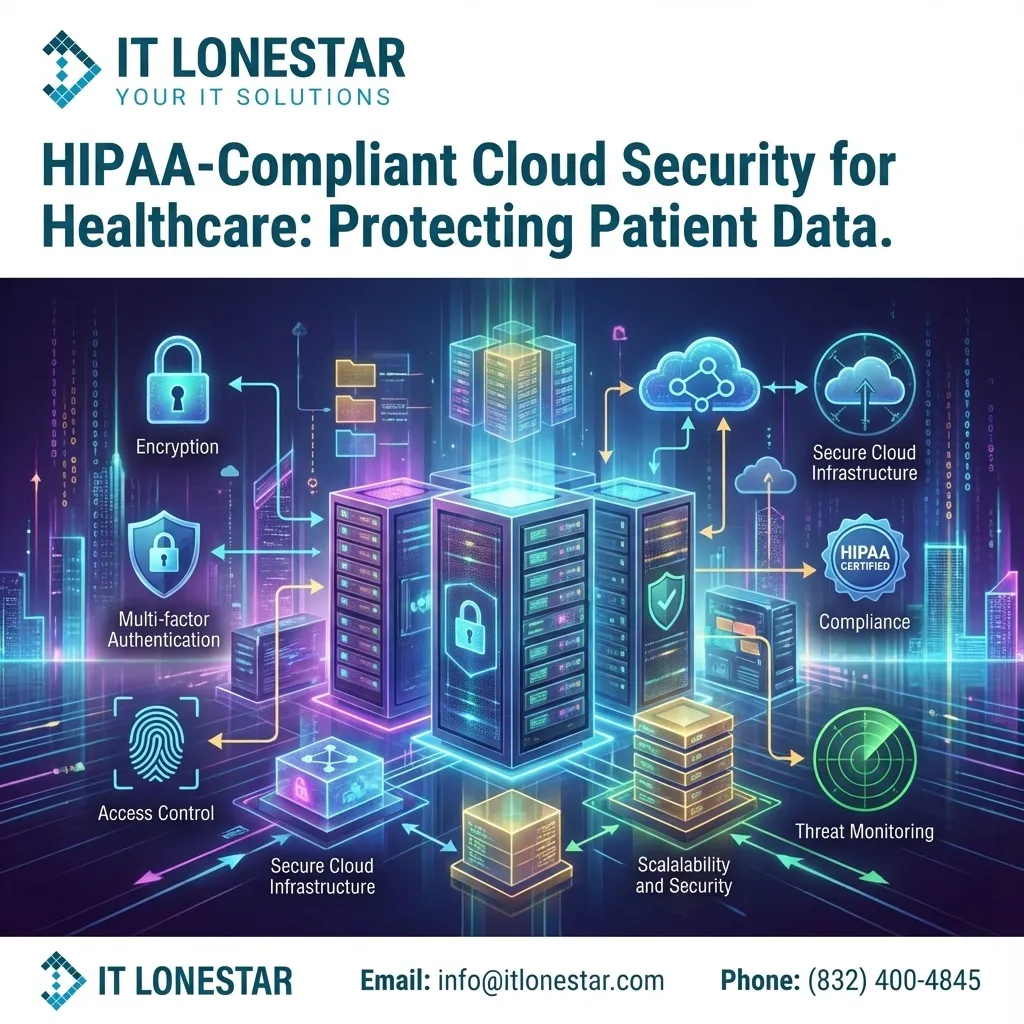
This is an in-depth explanation of how IT LONESTAR secures cloud‑hosted patient information while maintaining strict HIPAA compliance for healthcare organizations in Houston and Austin. It is intended as an educational and marketing article for your website, showing the specific technical, administrative, and physical safeguards IT LONESTAR implements to protect ePHI (electronic Protected Health Information) in the cloud.
Why this happens
Healthcare providers and clinics in Houston and Austin are rapidly migrating to cloud platforms (Microsoft 365, Azure, AWS, Google Cloud, and specialized EHR/SaaS providers). This shift improves accessibility, scalability, and collaboration, but it also introduces serious cybersecurity and regulatory risks.
Many practices discover that:
- Their cloud tools are not configured with HIPAA in mind (default settings are insecure).
- They lack a signed Business Associate Agreement (BAA) with cloud vendors and IT partners.
- Access to patient data is not properly restricted, logged, or monitored.
- Backups and disaster recovery plans do not meet HIPAA Security Rule standards.
- Staff are not adequately trained to handle ePHI in cloud environments.
These gaps can lead to data breaches, ransomware incidents, regulatory investigations, and heavy fines. IT LONESTAR was created to close this gap for medical and healthcare organizations in the Greater Houston and Austin areas by designing, implementing, and managing HIPAA‑aligned cloud architectures from end to end.
How we fix it
IT LONESTAR secures cloud patient information for Houston and Austin healthcare organizations through a structured, compliance‑driven approach that covers technology, processes, and people.
1. HIPAA Risk Assessment and Cloud Architecture Design
- Perform a formal HIPAA risk analysis focused on all systems that store, transmit, or process ePHI in the cloud.
- Map data flows between EHRs, practice management systems, labs, portals, and cloud services.
- Design a secure cloud architecture (Azure, AWS, Microsoft 365, or hybrid) with least‑privilege access and network segmentation.
2. Business Associate Agreements (BAAs)
- Ensure BAAs are in place between the practice and cloud vendors (e.g., Microsoft, Google, specialized EHR providers).
- Provide a BAA between IT LONESTAR and your practice, clearly defining responsibilities for security and incident response.
3. Identity, Access Management, and Zero Trust
- Implement role‑based access control (RBAC) so staff only see the minimum necessary patient data.
- Enforce Multi‑Factor Authentication (MFA) for all users, especially remote and administrative accounts.
- Configure conditional access rules to restrict logins by location, device health, and risk level.
- Regularly audit user accounts and permissions; promptly remove access for terminated staff.
4. Encryption and Secure Data Handling
- Encrypt ePHI in transit using TLS 1.2+ and in storage using strong encryption (e.g., AES‑256) across cloud services.
- Enable BitLocker or equivalent full‑disk encryption on all laptops and workstations that handle patient data.
- Use secure, HIPAA‑ready file sharing and email encryption for transmitting records and lab results.
5. Endpoint Security and Network Protection
- Deploy next‑generation antivirus/EDR (Endpoint Detection and Response) on all endpoints.
- Configure secure, HIPAA‑aligned firewalls and VPNs to protect remote access from Houston and Austin offices.
- Apply strict mobile device management (MDM) to phones and tablets that access cloud systems.
6. Backup, Disaster Recovery, and Business Continuity
- Implement automated, encrypted cloud backups of all critical systems and patient databases.
- Use geo‑redundant storage to protect against regional outages.
- Define Recovery Time Objectives (RTO) and Recovery Point Objectives (RPO) that align with HIPAA and your clinical operations.
- Test restore procedures regularly so you know you can recover quickly from ransomware or outages.
7. Logging, Monitoring, and Incident Response
- Enable detailed audit logs across cloud systems (logins, file access, changes to permissions, admin activities).
- Use centralized monitoring and alerting to detect suspicious behavior in real time.
- Create and maintain an incident response plan that meets HIPAA Breach Notification Rule requirements.
- Conduct periodic security drills with your staff and leadership.
8. Policies, Training, and Ongoing Compliance Support
- Draft or update HIPAA security policies and procedures specific to your cloud environment.
- Provide regular staff training on secure handling of ePHI, phishing recognition, and remote‑work security.
- Offer ongoing compliance reviews and documentation support for audits or investigations.
By combining these technical controls with policy, training, and continuous monitoring, IT LONESTAR builds a secure, HIPAA‑aligned cloud foundation for medical organizations in Houston and Austin—so you can benefit from the cloud without putting patient trust or regulatory compliance at risk.