



 info@itlonestar.com
What is this?
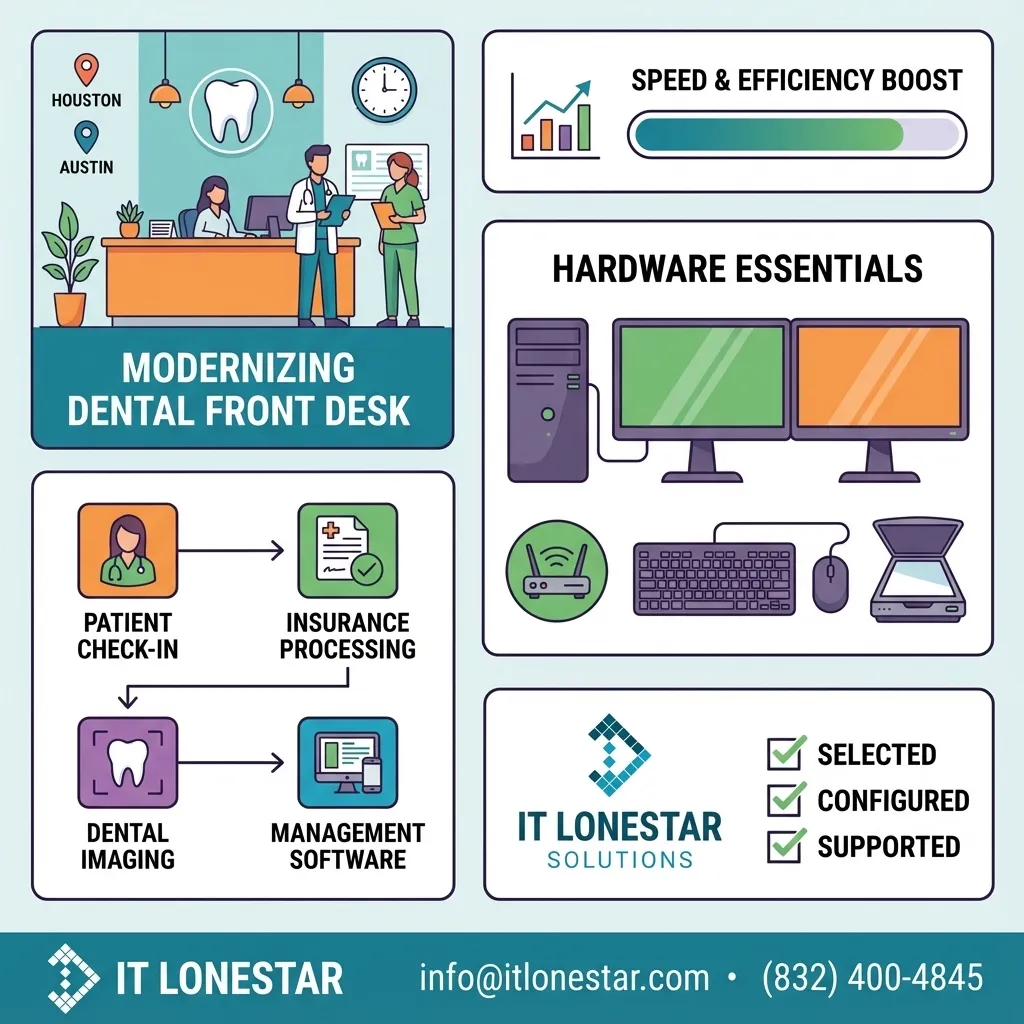
This is a practical IT guide for dental practices in Houston and Austin that want to modernize and speed up their front desk. It focuses on choosing the right computers, monitors, networking, and peripherals, and on how partnering with IT LONESTAR Solution ensures everything is selected, configured, and supported specifically for dental workflows (practice management software, imaging, insurance, and patient check‑in).
Why this happens
Many dental offices in Houston and Austin grew their technology organically: they added one PC here, one printer there, reused old home‑grade Wi‑Fi, and never created a real IT plan. Over time this causes slow check‑ins, frozen practice‑management software, delays in pulling X‑rays, and frequent printer or scanner errors. Front‑desk teams compensate by working harder, not smarter.
Common root causes IT LONESTAR Solution sees in local clinics include:
- Underpowered or outdated front‑desk computers running modern dental software
- Mechanical hard drives instead of SSDs, causing slow logins and file access
- Consumer‑grade Wi‑Fi with poor coverage and interference
- Inconsistent monitors, scanners, and label printers that are not designed for clinical use
- No centralized management or maintenance, so small issues pile up until they become downtime.
The result is longer patient wait times, frustrated staff, and providers who can’t rely on real‑time information. The good news: with a clear equipment standard and professional IT support, these issues are entirely preventable.
How we fix it
IT LONESTAR Solution helps dental practices in Houston and Austin design and deploy a front‑desk technology stack that is fast, standardized, and compliant.
1) Standardized front‑desk workstations
- Business‑class desktops or small form factor PCs with at least:
- Intel i5 / Ryzen 5 or better
- 16 GB RAM
- 512 GB SSD
- Dual 24" IPS monitors for scheduling, charting, and imaging side‑by‑side
- Encrypted Windows Pro, domain‑joined and fully managed by IT LONESTAR
Result: lightning‑fast logins and fewer freezes when multiple apps run at once.
2) Reliable networking and Wi‑Fi
- Business‑grade firewall, VLAN segmentation for guest Wi‑Fi, and secure VPN for remote access
- Enterprise Wi‑Fi access points placed and configured by IT LONESTAR to cover reception, operatories, and back office
Result: front‑desk software, cloud services, and VoIP phones stay stable during busy hours.
3) Purpose‑built peripherals
- High‑speed document scanners for IDs, insurance cards, and consent forms
- Label and receipt printers built for healthcare environments
- Signature pads and card readers compatible with your practice‑management system
IT LONESTAR validates compatibility with your specific software (Dentrix, Eaglesoft, Open Dental, etc.) before deployment.
4) Security, compliance, and backups
- HIPAA‑aligned workstation configuration (encryption, screen‑lock policies, least‑privilege access)
- Centralized patching and antivirus/EDR managed by IT LONESTAR
- Image‑based backups and tested recovery procedures so a failed PC can be restored quickly
5) Ongoing monitoring and support
- 24/7 monitoring of key systems, proactive replacement of aging hardware
- Local, responsive helpdesk for Houston and Austin offices, including on‑site visits when needed
By standardizing computers and equipment and letting IT LONESTAR Solution manage the lifecycle—from selection and procurement to installation, security, and support—dental front desks run faster, staff stress is reduced, and patients experience a smoother check‑in and check‑out process.